A little help,
right when you need it.
Get to know the unified app, from your first recording to your daily check-ins.
Need a hand?
Tell us your app version, device, and what happened.
Please avoid sending private recordings or health details.
Find your way around
What is 8Rings?
8Rings is the unified iPhone app formerly called HeyRings and EightRings Pro. Calendar, Notes, Timers, Habits, Today, Pounds, Recordings, and Lists share one home screen. 8Rings 1.03 is available now on the App Store.
How does the glass selector work?
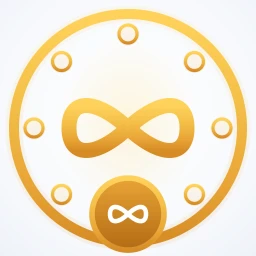
Slide your finger around the glass circle, or tap a satellite, to select a destination. The gold markers highlight your choice, and the center icon changes to match. Tap the gold center to continue. Lists, Calendar, and Notes start recording in that context. Today, Timers, Habits, Pounds, and Recordings open their own screens.
Where is Pomodoro?
Focus and break tools remain available from the app menu. Timers has its own satellite; Pomodoro is no longer a separate satellite button.
Which devices are supported?
The unified app requires iOS 26 or later. The optional Apple Watch companion requires watchOS 26 or later and a paired iPhone. Apple Intelligence features require supported hardware, language, settings, and available models. You can still use manual entries and view saved content when AI is unavailable.
Voice, notes & recordings
Where do my recordings go?
Recordings made for Lists, Calendar, and Notes are collected in the Recordings library. The selected context also determines where extracted items or notes are created. Select Recordings on the dial and tap the center to open the library.
How do I listen to or delete a recording?
Open Recordings. Use Play or Pause beside the saved recording, or open its title to see the transcript and summary. Use the trash button and confirm to delete it. You can search and filter the library by context. Deleting a recording does not delete notes, list items, or calendar entries already created from it.
Why is transcription or an AI summary unavailable?
Check microphone and speech-recognition permissions in iPhone Settings. Speech availability depends on device, language, and sometimes a network connection. AI summaries use Apple’s on-device models and require Apple Intelligence to be available. Review generated content before relying on it.
Can I type a note instead?
Yes. You can add notes manually, and Today offers a journal check-in with a typed or recorded entry. Voice is an option, not a requirement for every entry.
Today, reminders & routines
What is in Today and This Week?
Today combines upcoming calendar events, saved list priorities, habits due, and prompts for a Pounds check-in or a journal entry. Choose This Week for the wider planning period. The overview is built from the information saved in your app.
How do I clear “Needs attention”?
In Today, open the calendar items that need attention. Choose Clear to dismiss the alert, or Mark complete if the event is finished. Clearing the corresponding calendar notification also clears its attention state in Today. Clearing an alert preserves the calendar entry; rescheduling an event can create a new reminder.
Why is there a reminder badge?
Open the notification bell to review reminders in the notification inbox. Check the app’s notification settings and iPhone Settings if alerts do not appear as expected. Calendar reminders and habit reminders can be reviewed from their respective screens.
How do I use Timers and Habits?
Select Timers to open countdowns, presets, and focus tools. Select Habits to manage routines, choose daily or weekly schedules, set reminders, and review check-ins and streaks. Both are included in the unified app.
Pounds check-ins
How do I record my weight?
Select Pounds and open its screen. Tap Log a weight to speak a reading, or type it manually. Review the value, unit, date, and time, then confirm and save. Voice recognition can make mistakes, so always check the reading first.
Can I switch between pounds and kilograms?
Yes. Choose your preferred unit in Pounds settings. View your saved history and check-in milestones, and manage reminders there. Pounds is for personal logging; it is not medical advice.
Do I need the separate Pounds app or lifetime unlock?
No. Pounds inside 8Rings uses the same 30-day trial and subscription as the rest of the unified app. A purchase from the standalone Pounds edition does not automatically become an 8Rings subscription, and data is not automatically imported. Standalone Pounds support.
Apple Watch
How do I install the Watch app?
Install the current 8Rings build on your paired iPhone. Open Apple’s Watch app on the iPhone, find 8Rings under available apps, and install it. Open 8Rings on both devices and allow microphone access when you want to record. The older public app may still be labeled HeyRings.
What can I record from my wrist?
Choose Event, List, or Note, then tap the gold microphone button. Finish the recording to transfer it to the paired iPhone. Keep the phone and Watch connected so pending transfers can complete. To check in on a habit, open Track Habits on the Watch and pick an option. Timers, creating or editing habits, and Pounds history live in the iPhone app.
How do I add a watch-face shortcut?
Edit a compatible watch face and choose the 8Rings complication for an available slot. Tapping it opens the Watch app for quick recording access.
Trial & subscription
How long is the trial?
New users receive a 30-day trial starting on first launch. The trial countdown is shown in the app. This is an app-managed trial, and it does not charge you by itself.
What happens after the trial?
Continued full access requires an active monthly or annual subscription purchased through Apple’s App Store. The trial does not automatically purchase a subscription. If you choose to subscribe, Apple shows the local price and purchase terms before you confirm; the subscription then renews automatically unless canceled.
What does one subscription include?
The unified app includes contextual recordings, notes, lists, calendar, Today, Timers, Habits, Pounds, and the Apple Watch capture companion. There are no separate satellite-app purchases within 8Rings. Device and language requirements still apply to AI features.
How do I restore or cancel a subscription?
Use Restore Purchases on the app’s subscription screen with the Apple Account used for the purchase. To manage or cancel, open iPhone Settings → your name → Subscriptions → 8Rings (or the earlier HeyRings name). Refund requests are handled by Apple at reportaproblem.apple.com.
Using an earlier standalone app?
Calendar, Lists, Notes, Timers, Habits, Pounds, and Health standalone editions are separate from the unified 8Rings app. Find the relevant app page and support details.